 Filer
FilerYour File Explorer,
Now with a Working Agent
Filer gives every folder its own AI agent — the boundary you already see in File Explorer is its security boundary. Browse files like always, and each folder's agent watches, organizes, summarizes, and automates within that folder, all locally on your machine.
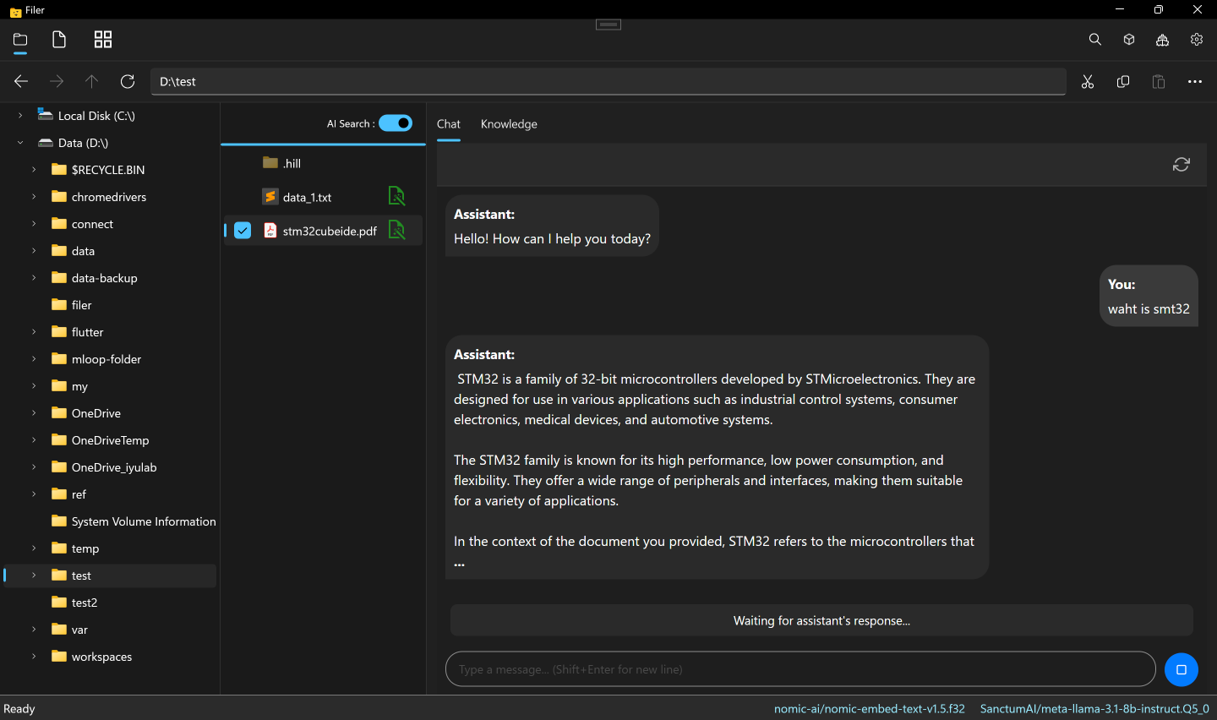
A different kind of AI
Not a coding assistant. A Working Agent for everyday folders.
Tools like Copilot and Claude Code help developers write code. Filer's agents live in folders like invoices/, meetings/, and research/ — and do the work those folders imply, on their own.
- For developers
- Pinned to one project root
- Runs when you prompt it
- Helps you write source files
- For everyone
- One agent per folder
- Runs on file events, schedules & messages
- Does the work the folder implies
Five Ways a Folder Comes Alive
Four of these fire on their own — a Filer doesn't wait for you to open it. The fifth is there the moment you want to ask it something directly.
Reaches out through plugins
What "Comes Alive" Looks Like
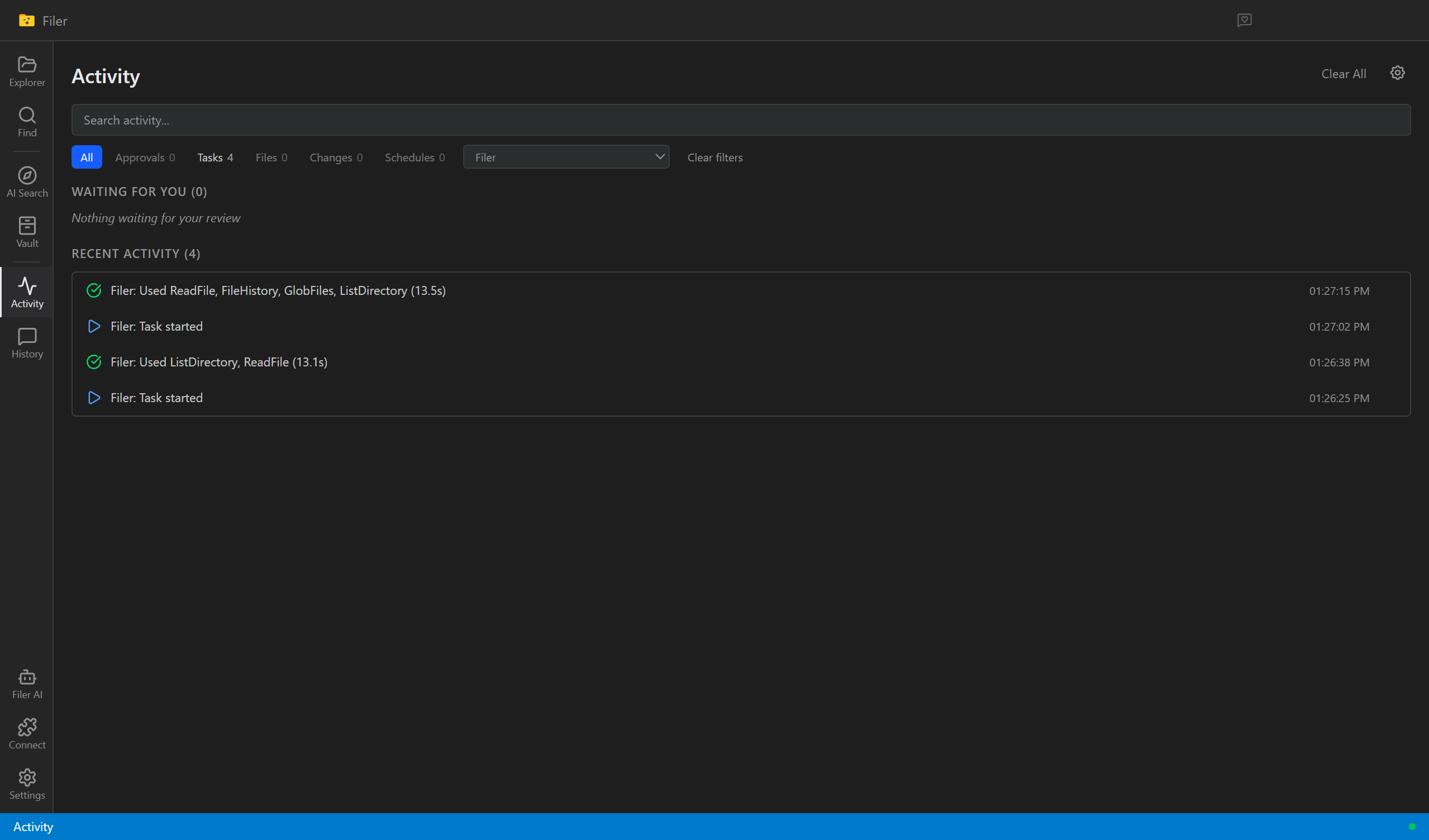
Every trigger leaves a record — what ran, what it touched, and what's still waiting on your OK.
One Folder, One Agent, One Boundary
Add a Filer to a folder and it can only see and act within that folder — the same boundary you already see in File Explorer. Describe what it should do in natural language, and it handles the rest — watching for changes, running scheduled tasks, and automating actions.
How You Write Instructions
When a new file is added:
  - Create a summary in summary.md
  - Notify me via Telegram

Every day at 6pm:
  - Generate a daily report
Folder Structure
Filer AI Tab in App
Trust Levels
auto — safe actions proceed · confirm — destructive actions need approval · ask — everything needs approval
Folders That Work Together
Give nested folders their own Filers and they form a team. A parent coordinates; specialists handle their part. No org chart to configure — the folder tree is the org chart.
A research team, as folders
A parent routes a question or task to the child best suited for it. Each specialist works in its own folder, with its own instructions and trust level.
Instructions and settings cascade downward. Set a project's tone once at the top; every child folder inherits it — and can override what it needs to.
A child can never exceed its parent's trust ceiling, and it can't reach outside its own folder. Bigger teams stay safe because each member's reach stays narrow.
Right-Click Any File
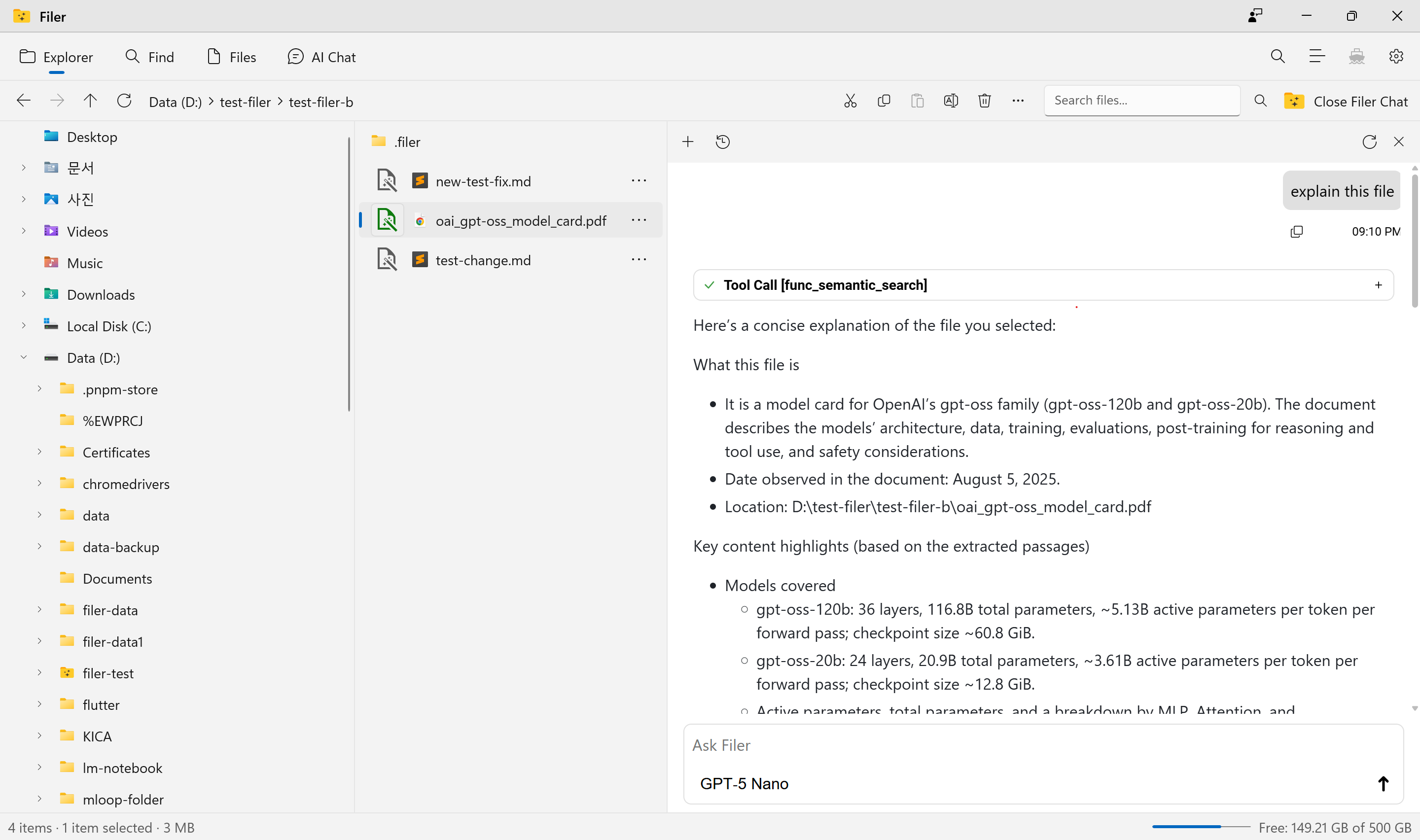
No setup, no agent required. Select a file or folder, open the Filer AI menu, and get an answer in place. The actions match the file — summarize a PDF, translate a doc, find bugs in code.
Results show what was run, on which files — and can render tables and charts inline.
Ask Questions. Scope Follows Your Navigation.
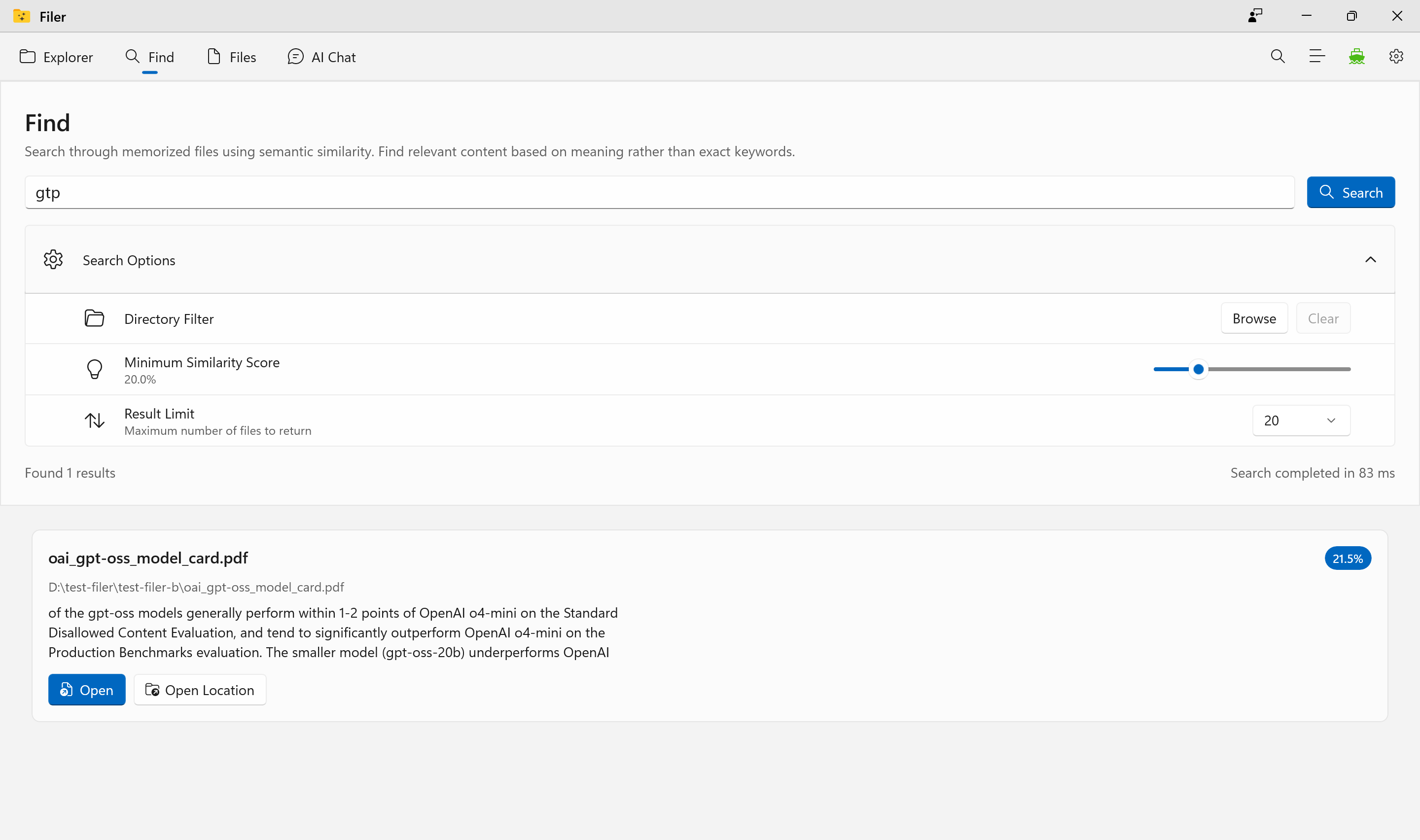
Most RAG systems degrade as documents grow. Filer uses your folder tree as a natural scope filter — navigate deeper, search narrows automatically.
Your Folder Tree = Search Scope
How It Works
Searches everything — useful for cross-project questions
Searches only that subtree — precise, high-quality answers
Scope follows your navigation, just like a file explorer
Folder = Security Boundary.
Each Filer runs only inside its folder. A breach in one folder can't reach another — enforced by the runtime, not by instructions to the LLM.
Each Folder Is Its Own Domain
Each folder is an independent security domain. A Filer cannot read or write outside its tree — enforced by the runtime's path-resolution layer.
7 Trust Tiers, One Per Folder
Per-folder tier. Children cannot exceed their parent's ceiling — trust flows downward only.
Your AI, Your Choice.
Run models locally for complete privacy, or connect to your preferred cloud AI provider. Filer supports both — and everything in between.
Download and run models from Hugging Face directly on your machine. No data leaves your computer — ever.
Bring your own API key and use the most powerful models from leading providers. OpenAI-compatible endpoints supported.
Ready to Replace Your File Explorer?
Download Filer and experience file management with a built-in Working Agent. No subscription, no monthly fee — install it once and it's yours.

Windows (x64)
Windows 10+ · 8GB RAM


macOS
macOS 12+ · Apple Silicon/Intel
Get Product Updates
New features and releases, straight to your inbox. No spam.